

.png)
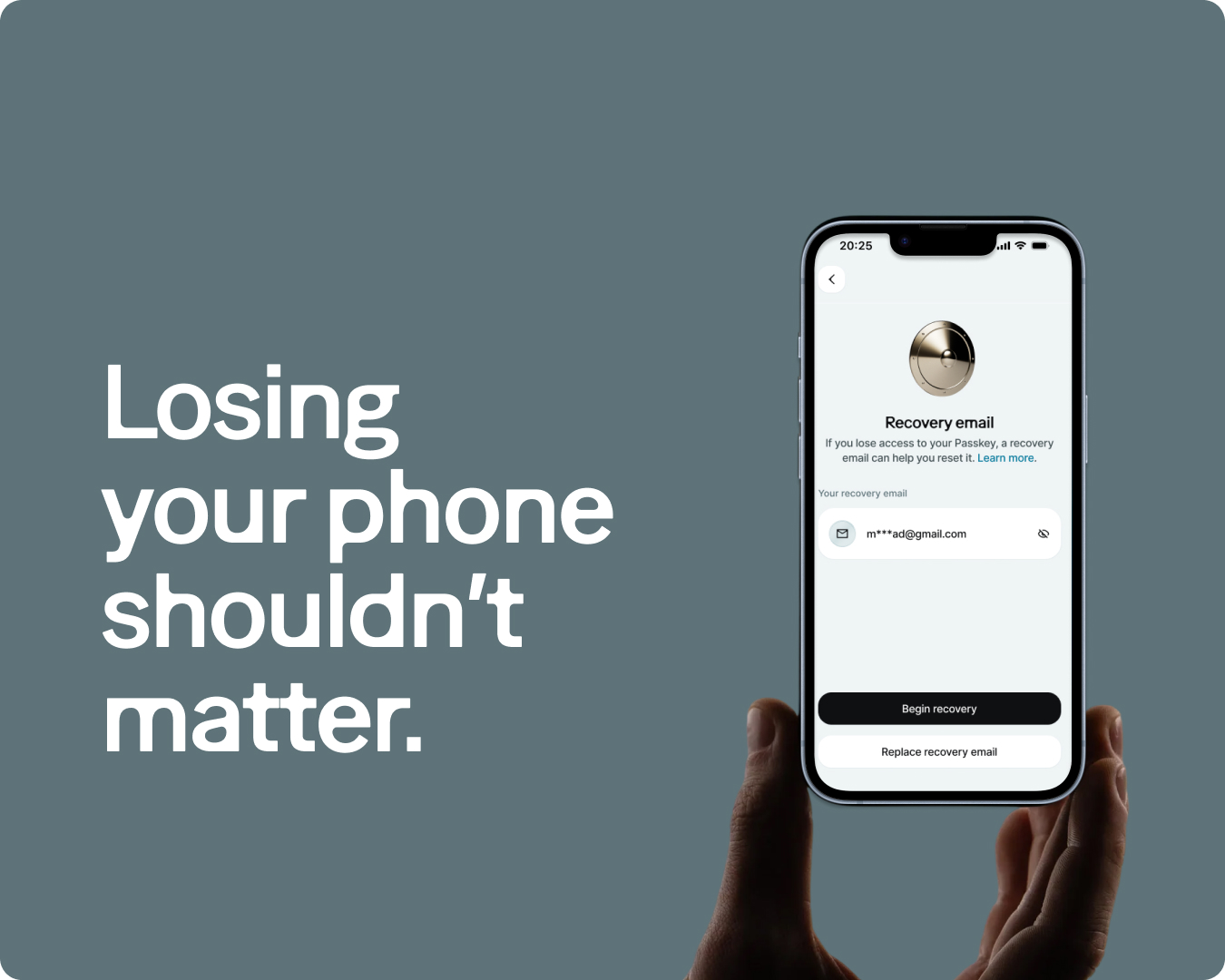
If you use a self-custodial wallet, your passkey is the only thing between you and your money. That is the strength of the model: nobody else holds your funds, so nobody else can freeze or lose them. But it also means that losing your passkey is serious.
Recovery Emails give you a way back in. You designate an email address, and if you ever lose your passkey, that email can help you restore access to your account — without giving up self-custody, and without needing another Moneda user to help.
Why recovery matters in self-custody
A self-custodial account has no central authority that can reset your credentials. That is the trade-off: full control in exchange for full responsibility. If your only device breaks and your passkey is not synced to another, the funds in your wallet could become permanently inaccessible.
Moneda already offers Recovery Contacts, where you nominate trusted Moneda users who can help restore your access through an on-chain process. Recovery Emails extend that same idea, but without requiring your recovery contact to be a Moneda user. All they need is an email address.
How email recovery works
You add a recovery email address in Settings, under Security. Moneda sends a verification to that address. You reply to confirm it, and the setup is complete.
If you ever lose access to your passkey, here is what happens:
- You open the app and request recovery.
- A new passkey is generated on your device.
- Your recovery email receives a message. You reply to confirm the recovery request.
- A 24-hour safety delay begins. During this window, you can cancel the request if you did not initiate it.
- After 24 hours, the new passkey becomes active and you regain full access to your account.
The entire process runs on-chain. Moneda does not hold a master key or a back door. Recovery is a behaviour built into your smart account's contract, not a permission that Moneda grants.
Privacy through zero-knowledge proofs
The part that makes this different from a typical password reset is how the email verification works. Recovery Emails use zero-knowledge (ZK) email proofs to verify that a reply came from the right address, without revealing the email's content on-chain. The proof confirms the sender's identity cryptographically while keeping the message itself private.
This means the blockchain sees a mathematical proof that your recovery email confirmed the request. It never sees the email itself, or even the email address in plain text. Your email address stays between you and your inbox.
The 24-hour safety window
Every recovery request includes a mandatory 24-hour delay before it takes effect. This is a deliberate safeguard. If someone gained access to your recovery email and attempted an unauthorised recovery, you would have a full day to open the app and cancel the request before anything changes.
The delay is long enough to notice and act, and short enough that a legitimate recovery does not leave you locked out for days. After 24 hours, the new passkey takes over and you are back in control.
Recovery Emails and Recovery Contacts
Recovery Emails do not replace Recovery Contacts. They complement each other. Recovery Contacts require the contact to have a Moneda account and to approve the request by signing a transaction. Recovery Emails work with any standard email address — the person does not need Moneda or any crypto wallet at all.
You can use both at the same time. Having multiple recovery paths means that a single lost device, a single changed email address, or a single unresponsive contact is never enough to lock you out permanently.
One constraint worth noting: Apple private relay addresses and email aliases containing a + are not supported, because the ZK verification requires a stable, DKIM-signed sender identity. Most major email providers work without issue.
How to set it up
Open Moneda, go to Settings, then Security, then Recovery Email. Add the email address you want to use. Reply to the verification email when it arrives. That is it.
The setup takes a couple of minutes and only needs to be done once. If you have not set up any recovery mechanism yet, this is the time. Recovery only works if it is in place before you need it.